I create a lot of content for manuals, training materials, and even automated emails for members who often have the same issue or question. To add some clarity to this information, I used the Print Screen function to capture the relevant parts of the information, pull the image into an editor, crop, add notes, highlighting, etc. and then finally save the image and add it to my document.
It was an effective but time consuming and inefficient process and my life has been forever changed with Screenpresso. This free software also uses the Print Screen button but that simply activates the drag and capture feature which is saved in the workspace. From there you can use the image as is or you can edit it to add highlighting, arrows, boxes, whatever embellishments you need for the content you’re creating.
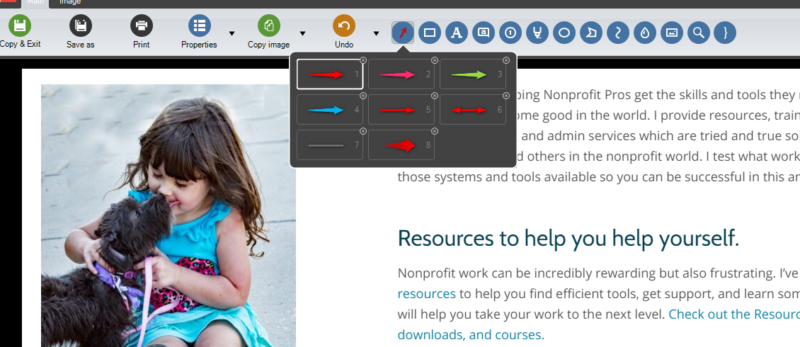
In the image below from my website, I’ve used Screenpresso to capture part of a page and am in the image edit mode where I can add arrows, text, boxes, squiggles, whatever. In the Image tab, there’s a Crop option as well as other editing tools. This is an easy-to-use, robust editing software and will be a huge benefit to all your content work.
Want to get great content – and much more – delivered right to your inbox every two weeks? Join the Email List